Turn what you read and watch into a mind map in seconds.
AI MindMap Generator is MindMax's Chrome extension for webpages, PDFs, YouTube videos, and text. Capture ideas where you find them, get the structure instantly, and continue deeper work in MindMax.
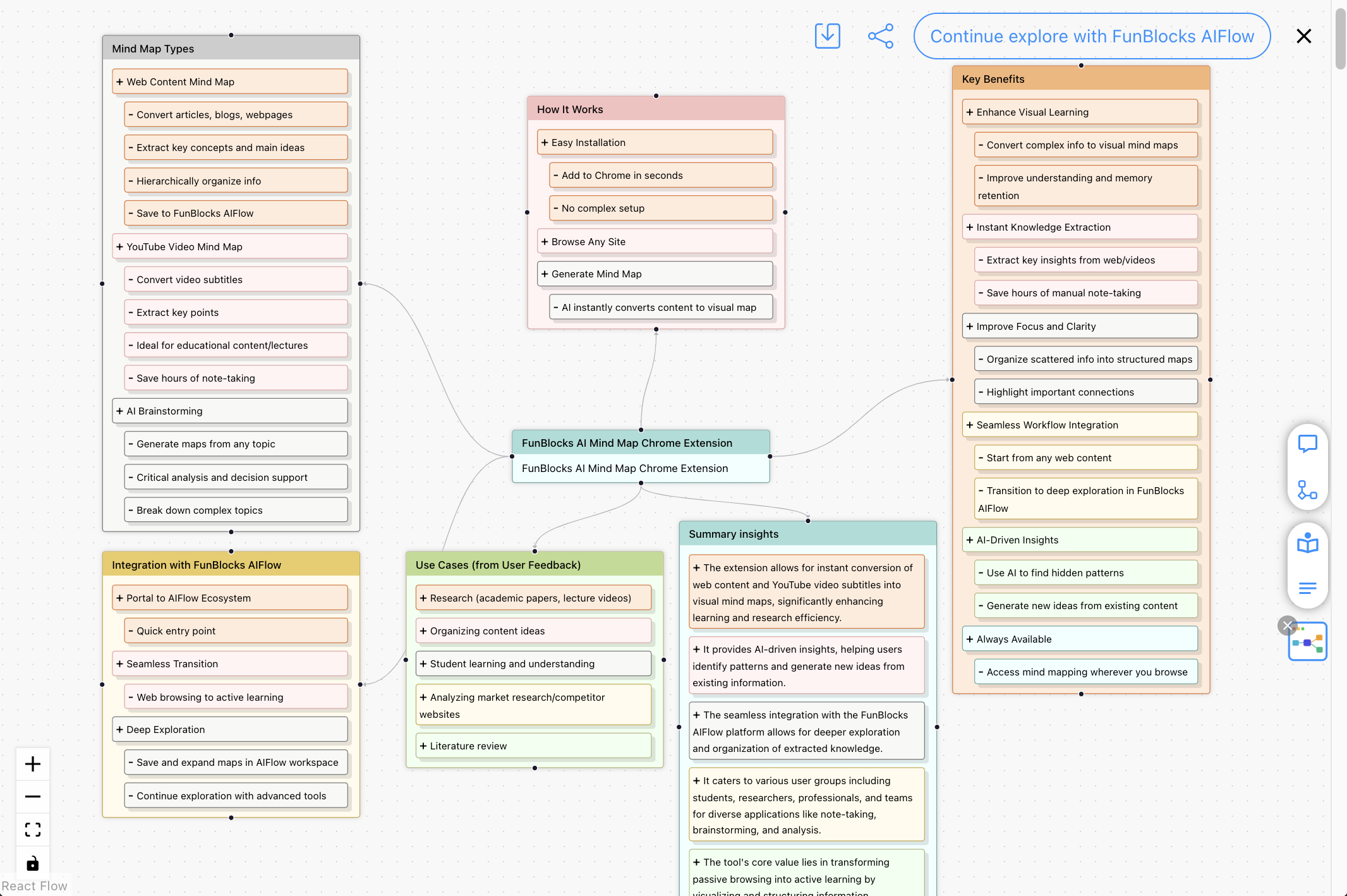
What is MindMax AI MindMap Generator?
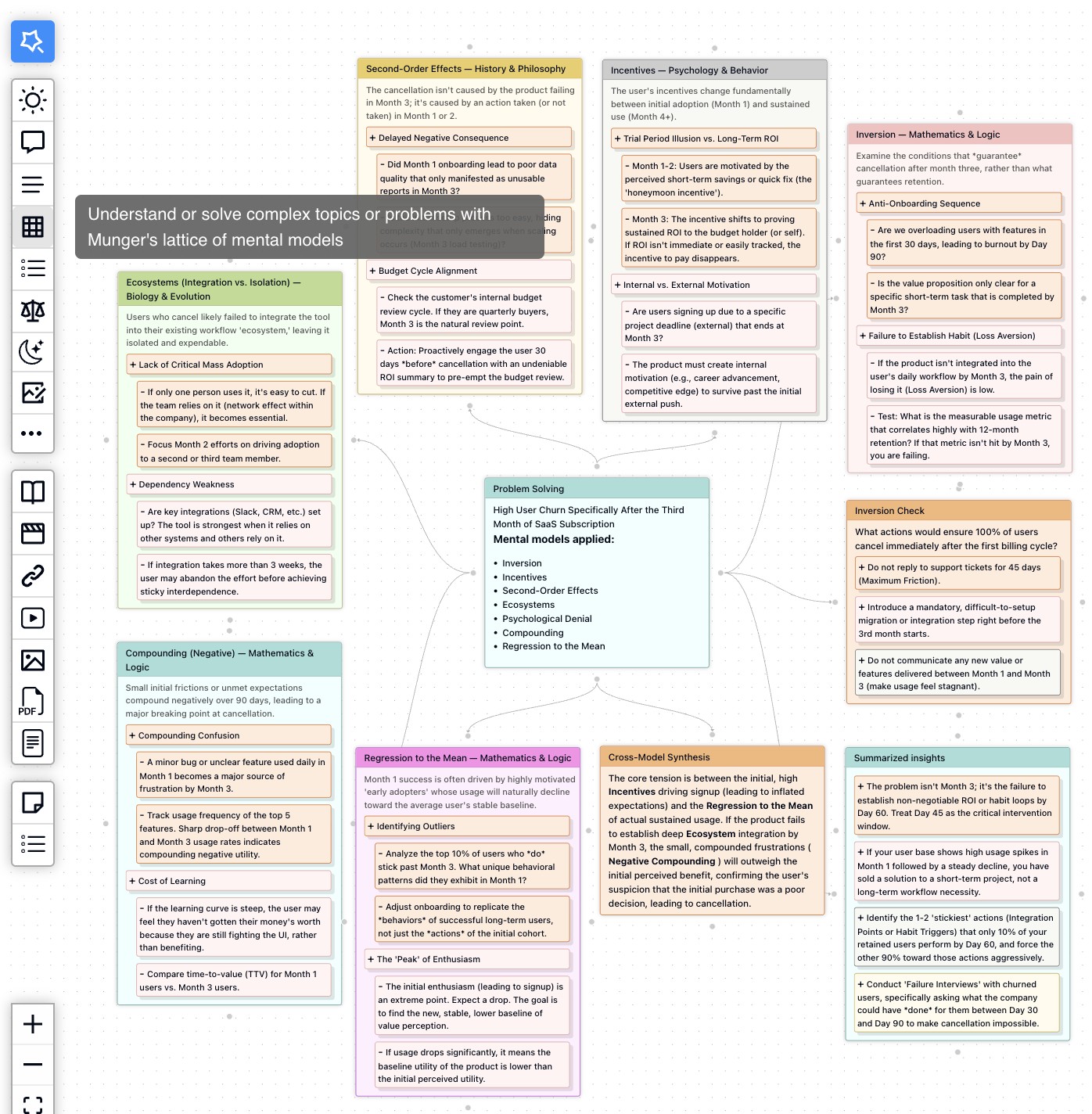
MindMax AI MindMap Generator is a browser extension that helps you capture content from webpages, PDFs, and YouTube videos, then transform it into structured mind maps with one click. Unlike simple summarization tools, it creates interactive, explorable mind maps that you can continue developing in the MindMax workspace.
One-Click Capture
Capture any webpage, PDF document, or YouTube video with a single click. AI instantly analyzes the content and generates a structured mind map.
Smart Extraction
AI intelligently extracts key concepts, relationships, and hierarchies from your content. Get a structured overview without manual organization.
Workspace Integration
Seamlessly transfer captured mind maps to MindMax workspace for deeper analysis, expansion, and collaboration. No copy-paste required.
Why MindMax is the Best AI Mind Map Generator
Multiple Input Sources
Unlike other tools that only support text, MindMax captures from webpages, PDFs, YouTube videos, and selected text—anywhere you find ideas.
Interactive Exploration
Most generators create static maps. MindMax creates living canvases where you can expand branches, ask follow-up questions, and explore deeper with AI.
Complete Workflow
MindMax doesn't stop at mind maps. Continue into writing, presentations, and structured documents—all in one connected workspace.
Mental Models Built-In
Apply 188+ thinking frameworks (Six Thinking Hats, SWOT, First Principles) to structure your analysis—no other mind map tool offers this.
Capture content where ideas first appear.
Whether you are reading an article, reviewing a PDF, watching a lesson, or pasting a passage, the extension turns it into a usable visual starting point.
Web pages
Turn articles, docs, research sources, and knowledge bases into a clear map before the details blur together.
PDFs
Pull structure out of papers, reports, ebooks, and reference files so you can scan the big picture first.
YouTube videos
Convert lectures, tutorials, and explainers into a map you can review faster than linear notes.
Selected text
Paste notes, transcripts, or a passage you want to understand and get a visual starting point in seconds.
Understand more before you start taking notes.
The extension gives you a clear first structure. MindMax gives you the space to expand, question, and turn that structure into real output.
See the structure first
Get the main ideas and branches up front, so complex material feels easier to read and remember.
Start with momentum
Let AI build the first version for you instead of starting from an empty canvas or a blank note.
Keep the big picture visible
Understand how topics connect without losing the details that matter.
Review faster
Replace scattered highlights and disconnected notes with one visual summary you can revisit.
Stay in flow
Capture content in the browser, then continue in MindMax when you need deeper thinking, writing, or slides.
Go beyond summary
Use the first map to ask better questions, expand branches, and explore alternative angles.
Especially useful for web research, PDF review, YouTube summaries, study prep, and early-stage idea development.
From quick capture to deeper exploration.
Use the extension to get the first map fast, then grow it into research, learning, and creation inside MindMax.
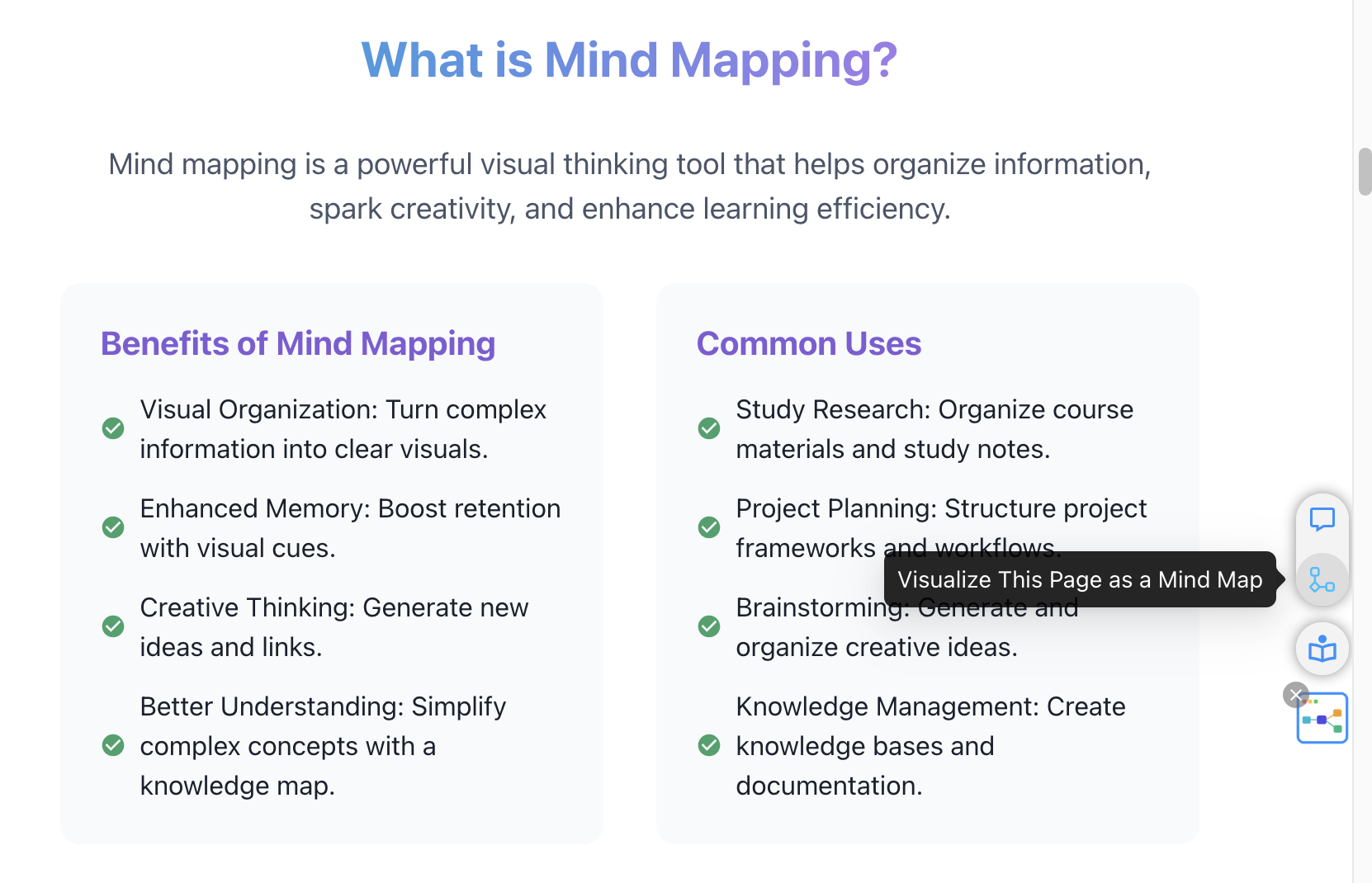
See the shape of an article or PDF
Turn long-form reading into a visual overview you can scan before you dive deeper.
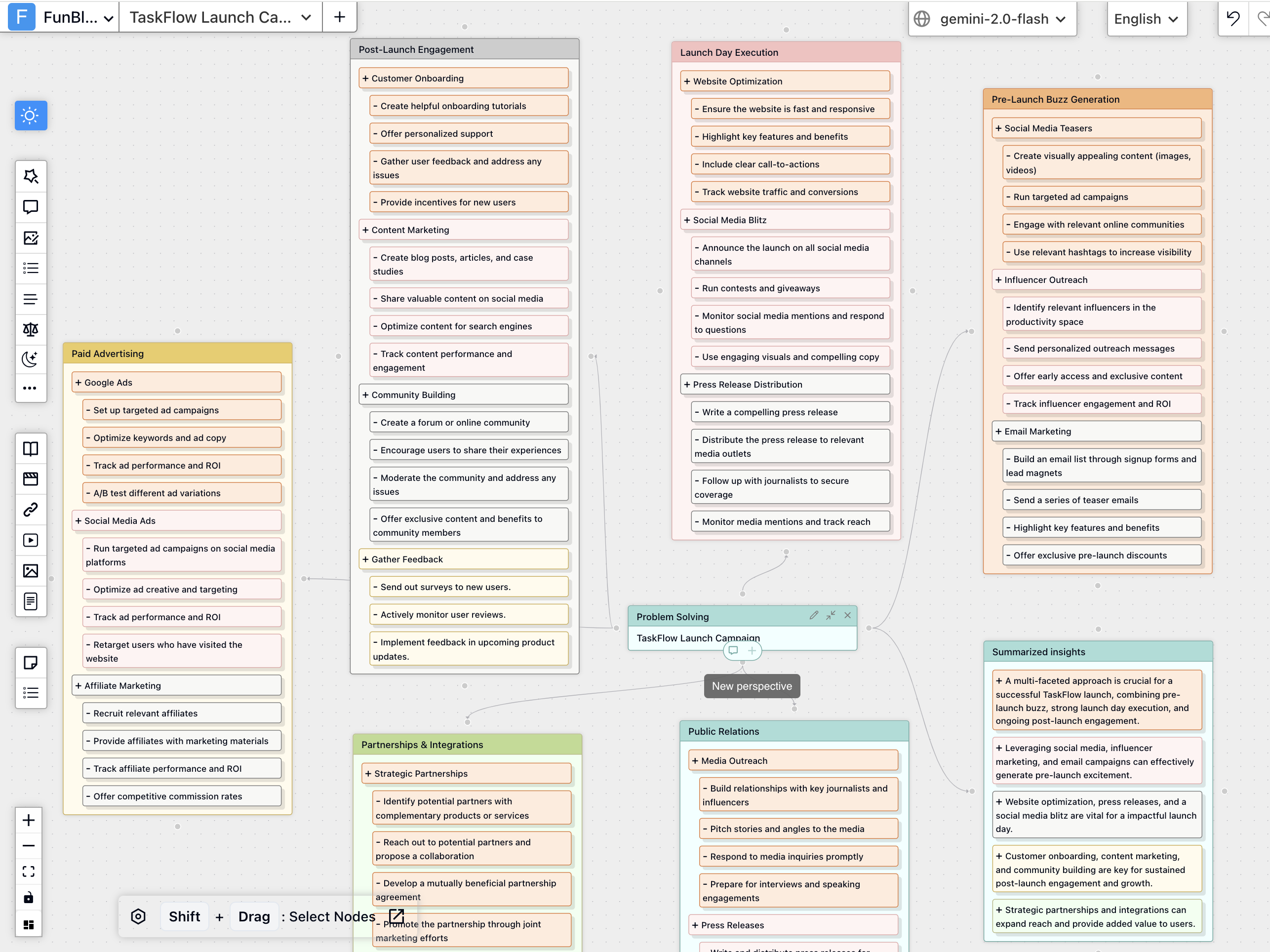
Turn the first map into new ideas
Use the generated map as a starting point for brainstorming, comparison, and deeper exploration in MindMax.

Keep going inside MindMax
Open the map in MindMax and turn it into notes, frameworks, writing, slides, or a larger thinking workflow.
Go from found content to a working map in minutes.
The extension gets you started quickly. MindMax is where you keep building when the work needs more depth.
Install once
Add AI MindMap Generator to Chrome so it is ready whenever you find something worth understanding.
Open what you want to understand
Choose a webpage, PDF, YouTube video, or passage you want to make sense of.
Generate the first map
The extension turns the main ideas, branches, and relationships into a map you can scan right away.
Open it in MindMax when you want more depth
Send the map to MindMax when you want to expand branches, ask follow-up questions, write, and create outputs.
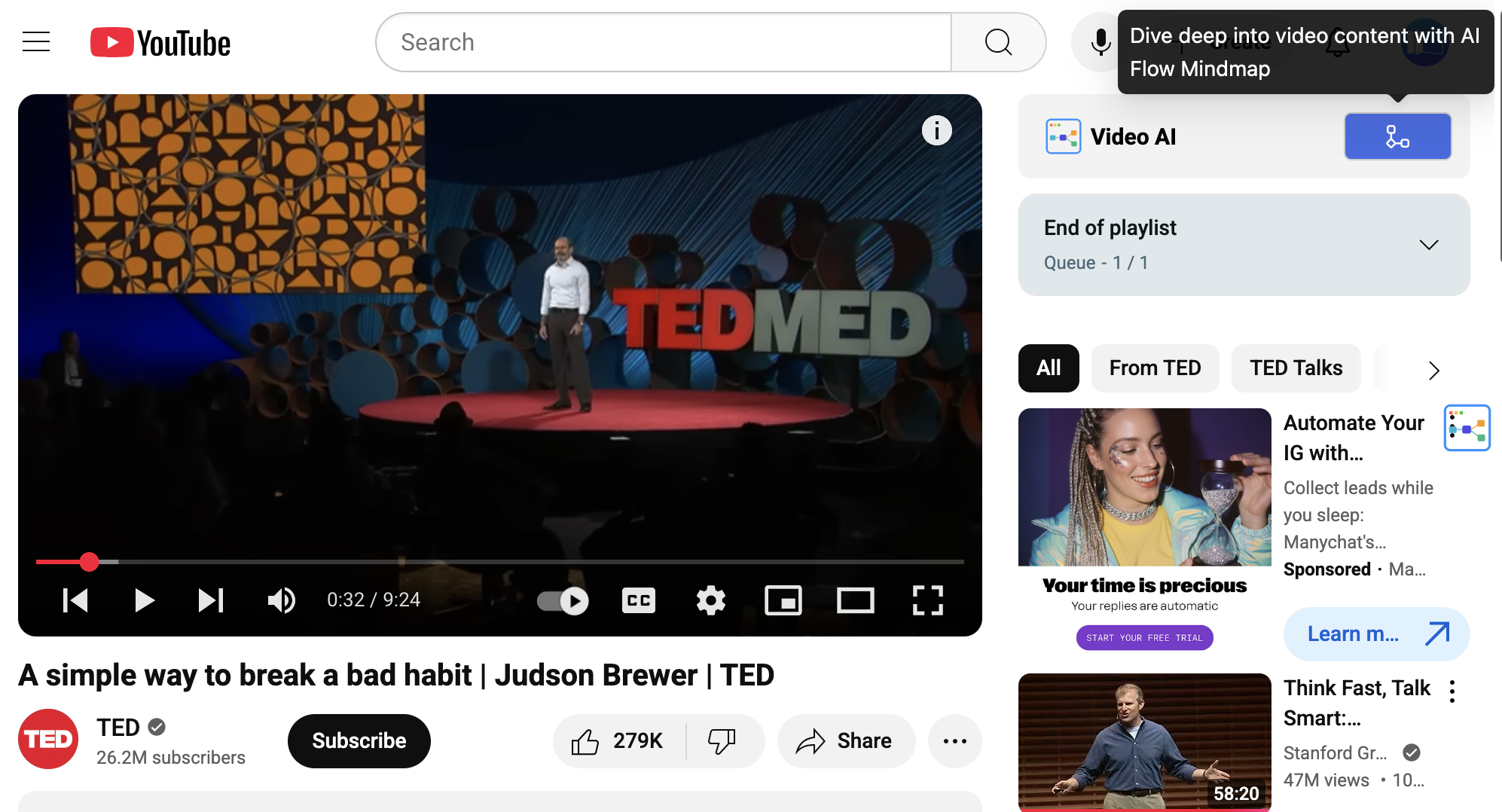
Why this flow works
FROM THE WEB
Turn reading into structure
Capture articles, docs, reports, and PDFs as a clear map for research, learning, and faster review.
Continue with related guides
FROM VIDEO
Review videos without losing the thread
Convert YouTube lessons and explainers into visual summaries that are easier to revisit and remember.
Continue with related guides
WHEN YOU NEED MORE DEPTH
Use the first map as the handoff point
When the map needs more than a first pass, open it in MindMax to expand, compare, brainstorm, and shape it into finished work.
Continue with related guides
Start with a quick map. Keep going when the work gets deeper.
The extension helps you capture and structure content in the moment. MindMax gives you room to expand branches, compare ideas, write notes, and turn the map into finished work.
How people use AI MindMap Generator in real work
People use the extension to understand faster, keep the structure, and continue the work inside MindMax.
"I use the extension while reading industry reports. It gives me a clear map first, then I refine the thinking in MindMax instead of starting from scratch."
"Turning YouTube lessons and PDFs into mind maps dramatically improved how fast I review material for class."
"The best part is that it is not an isolated extension. It is the fastest way to get content into the full MindMax workspace."
"I use it to turn lesson materials and explainer videos into mind maps before class. Students understand the structure much faster."
"For content research, the webpage-to-mind-map workflow is faster than copying notes into docs. I get the structure first, then I write."
"It is especially useful when I need to compare several sources quickly. The generated branches make patterns and gaps visible right away."
Questions about the extension? Start here.
Everything you need to know about using AI MindMap Generator with webpages, PDFs, YouTube videos, and text.
Turn found content into structure—fast.
Install the extension, generate your first map from webpages, PDFs, YouTube videos, or text, and keep building in MindMax.
Made for real study, research, and analysis.
AI MindMap Generator helps learners, researchers, educators, creators, and analysts get to structured understanding faster—starting in the browser and continuing in MindMax when the work needs more depth.
Featured on Product Hunt
A strong early trust signal for the extension and the broader MindMax ecosystem.
Used for real thinking work
Helpful for studying, research, source review, lesson prep, and content analysis.
Connected to MindMax
The first map is not the end result—it becomes the starting point for deeper work in MindMax.
Who uses it
Start with the Chrome extension
Install the extension first, then move into MindMax when you want to expand ideas, write, or turn the map into output.