ChatGPT to image
Share the AI answer as images — formulas and tables included
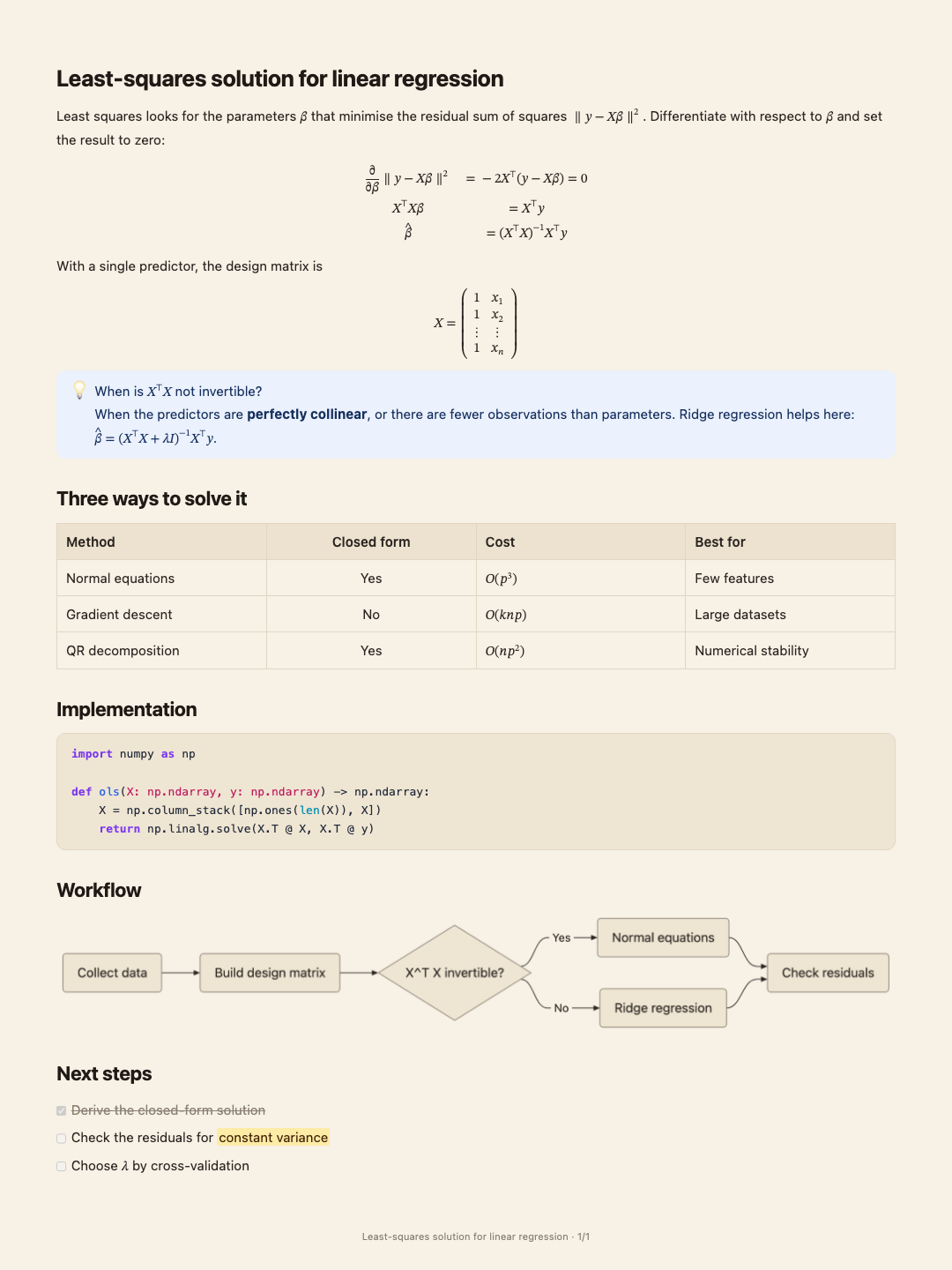
Screenshots of a long answer come out cut mid-formula and spread over a dozen captures. Paste the answer here and export it as cards or one long image, laid out like a document.
- Price
- Free · no account, no watermark
- Runs in
- Your browser — nothing to install
- Your document
- Stays in this browser
Runs on the MindMax web editor →All online tools
Four steps
Copy the answer
Use the copy button under the AI’s answer, so the Markdown comes with it.
Paste into the editor
Formulas in \( \) or $ $ become typeset maths; tables become tables.
Export images
Pick the size and style; cards or one long image.
Download
A PNG, or a zip of cards in order.
Built for the parts screenshots break
An AI answer is mostly headings, maths and tables — exactly what a screenshot crops badly.
- Formulas are typeset, not shown as backslash code, and never split across two cards.
- Tables keep their columns; a long one is split between rows with the header repeated.
- Mermaid diagrams in the answer are drawn as diagrams.
Where it gets hard
- Paste the Markdown, not a screenshot
Copy with the answer’s copy button. Text selected by dragging can lose the formulas.
- No account needed
Making images runs in your browser; nothing is uploaded.
- Exported as is
The answer is laid out exactly as written — nothing is rewritten.
- No watermark
The cards carry only the optional “title · page” footer.
Common questions
Does it work with Claude, DeepSeek and Kimi answers?
Yes — anything that copies as Markdown.
Will formulas render?
Yes. \( \), \[ \] and $ $ are all recognised and typeset.
Can I edit the answer first?
Yes. It is an ordinary document in the editor; fix it, then export.
Share the AI answer as images — formulas and tables included
Free, no account, no watermark. Made in your browser.
Need a whole folder of documents? Get the desktop app →
ChatGPT is a trademark of OpenAI, used here for identification only. MindMax is not affiliated with OpenAI.