Online tools
Paste the text. Get a Word file, a diagram or an image.
MindMax online tools run in your browser. Each one starts from text you paste — an AI answer, Markdown, notes, an article — and ends with something you can hand over: a Word or PDF document, a diagram, or images ready to share. Nothing to install.
Turn AI answers and Markdown into Word or PDF
Free · no accountPaste an AI answer or Markdown and export a Word file or a PDF. Equations become native Word equations you can edit, tables become real tables, and Mermaid code becomes a drawn diagram. Free, with no account, and the text stays in your browser.
Paste an answer from ChatGPT, Claude, DeepSeek or Kimi and export a .docx with real tables and editable equations.
Paste Markdown or open a .md file and export a .docx, equations and tables kept.
Typeset maths, real tables and highlighted code on A4 pages.
LaTeX maths in, native Word equations you can edit out — not pictures.
Diagrams written as Mermaid code, drawn and placed in Word or PDF as pictures.
Turn text into diagrams with AI
Free accountPaste text and the AI draws a diagram from it: mind maps, flowcharts, org charts, data charts, Gantt charts, timelines, fishbone, SWOT and Venn diagrams, and infographics. Every node links back to the sentence it came from, and nodes your text does not support are marked. Export to Word, PDF, PNG or SVG. Generating needs a free account.
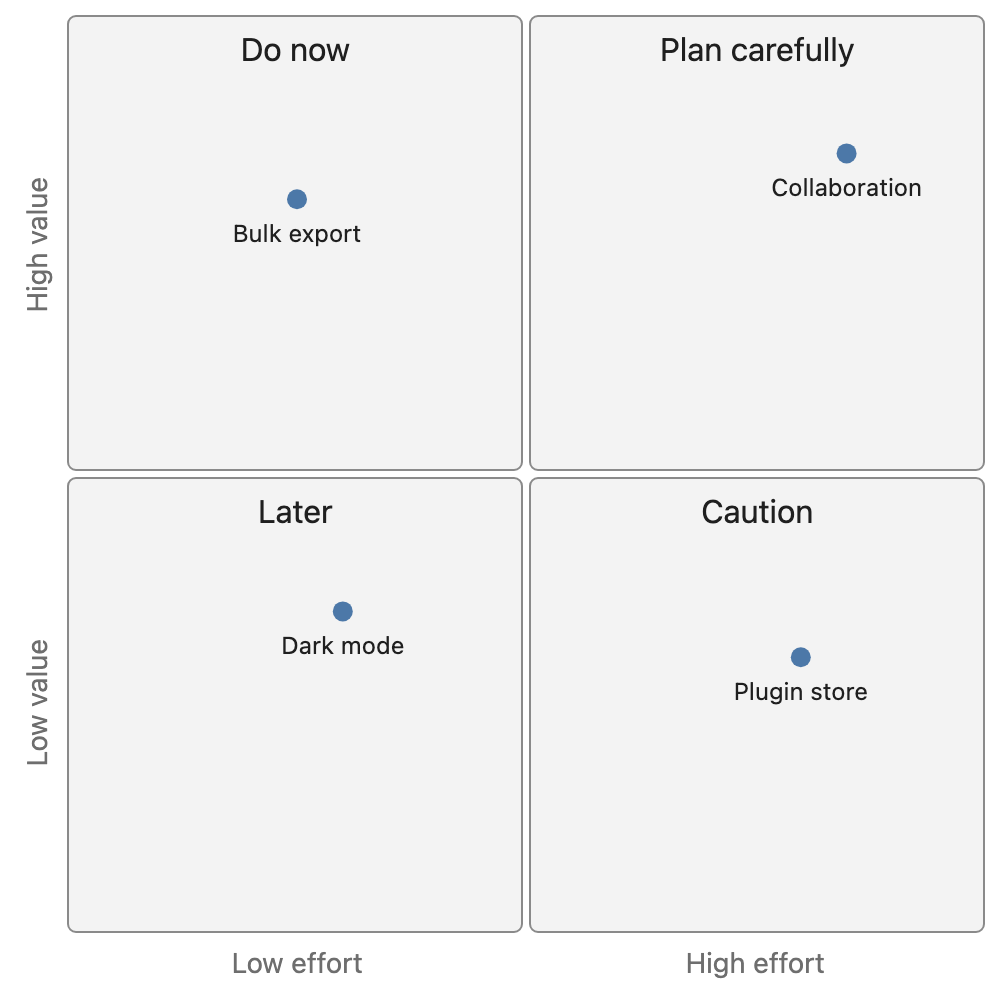
Not sure which diagram fits? Paste the text and let the AI pick the type.
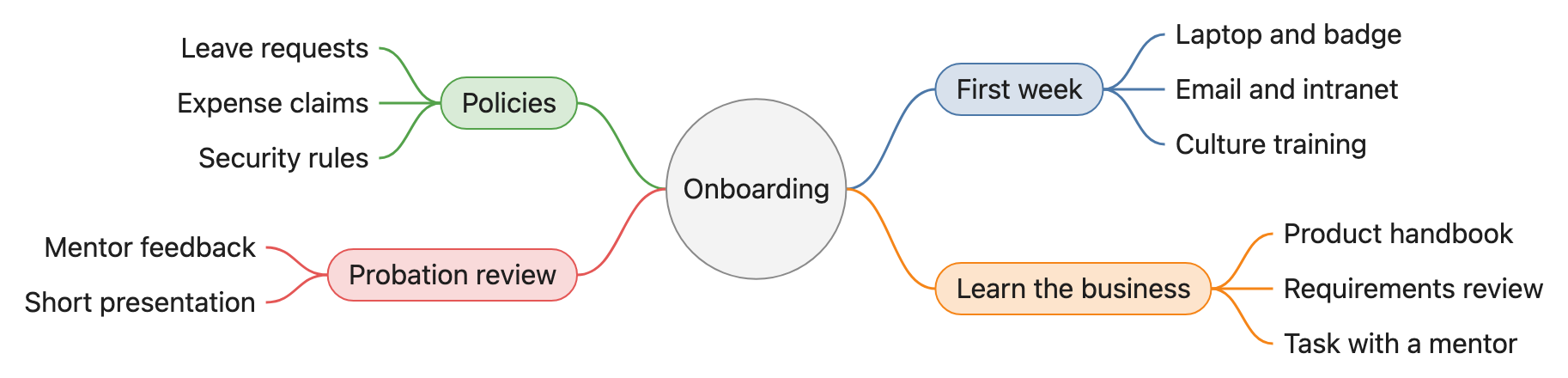
Notes, a summary or an article as a mind map, each branch linked to its sentence.
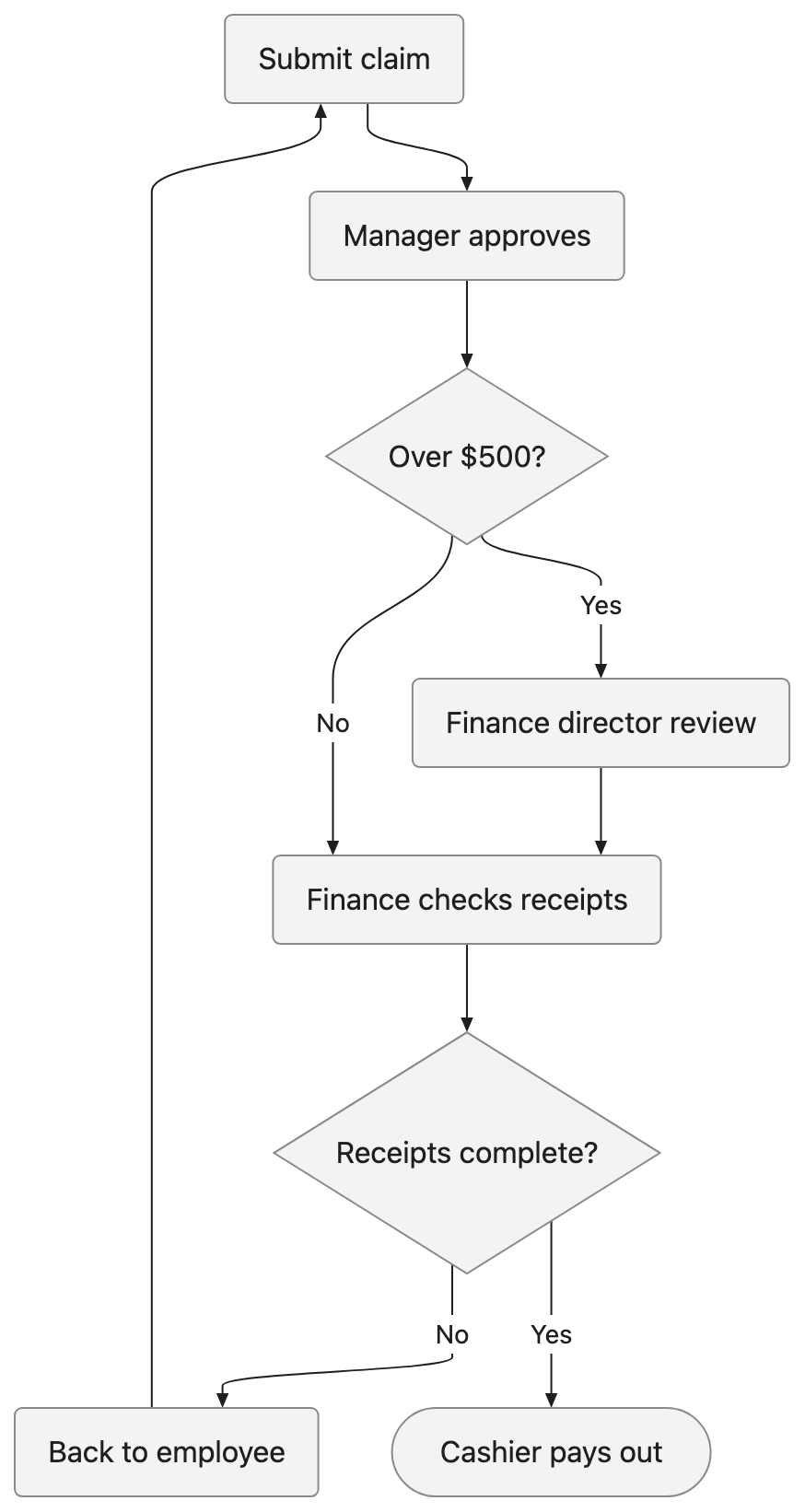
A process described in words, drawn as a flowchart — with swim lanes when several roles are involved.
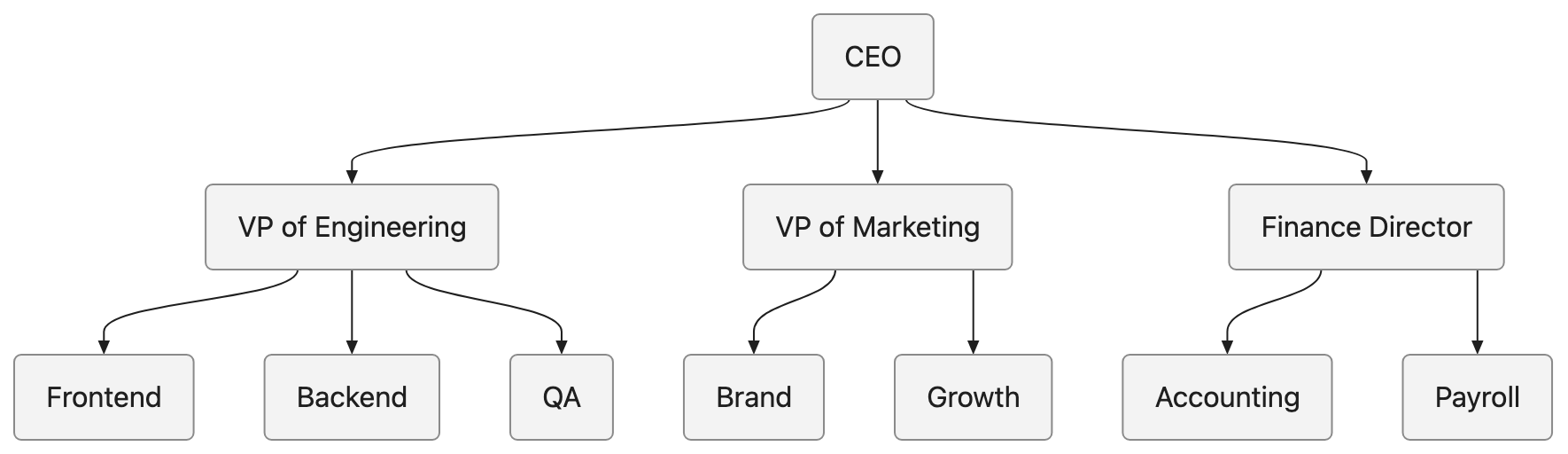
Who reports to whom, drawn as a clean tree.
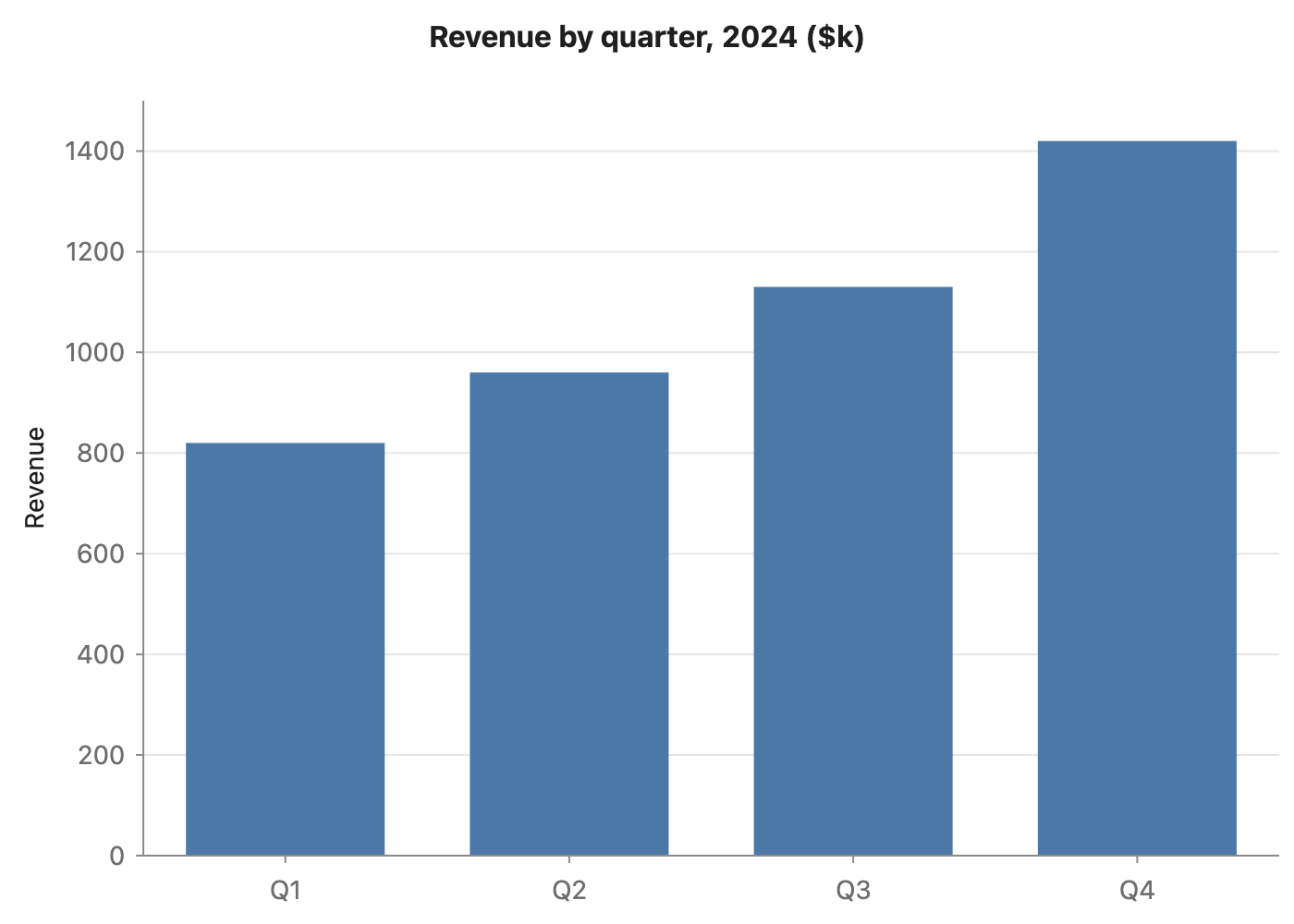
Figures in a paragraph or a table as a bar, line or pie chart — every number checked against your text.
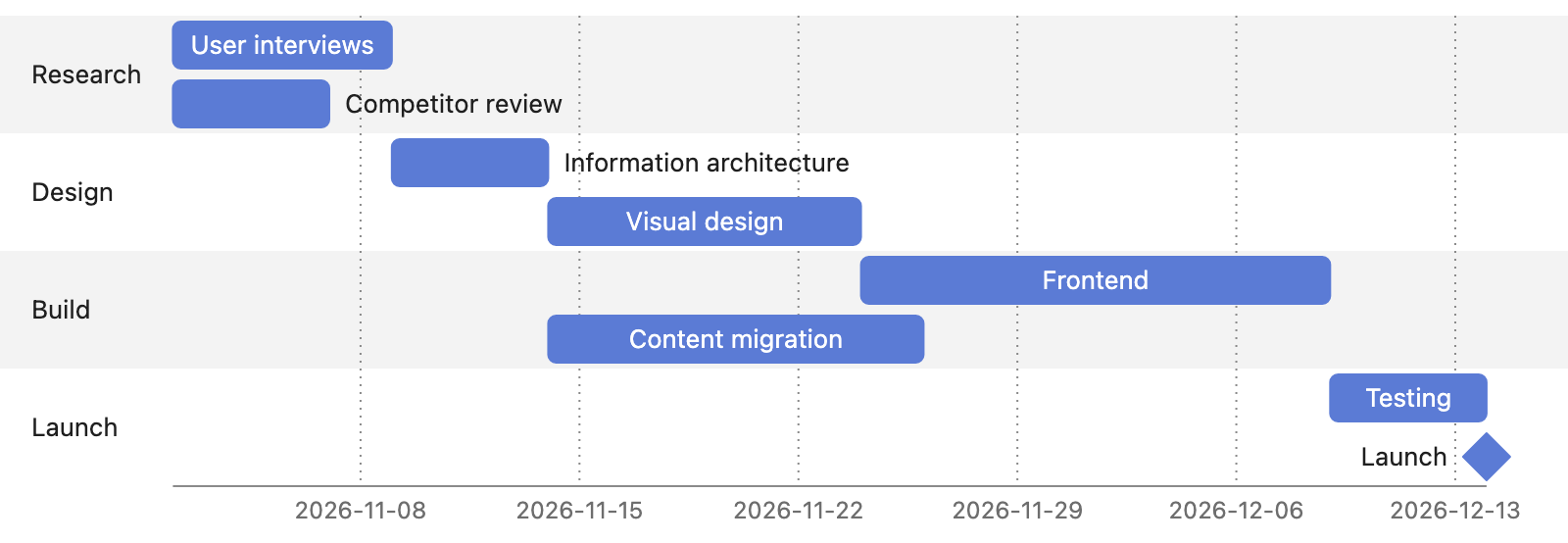
Tasks, durations and dependencies from a project plan, with dates taken from your text.
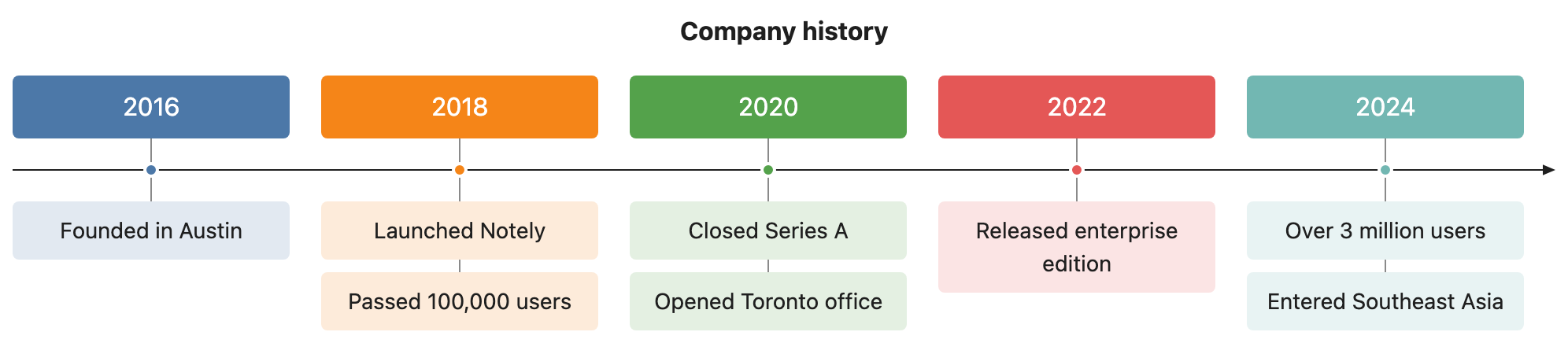
Dates and events from a history, a project log or a biography, in order.
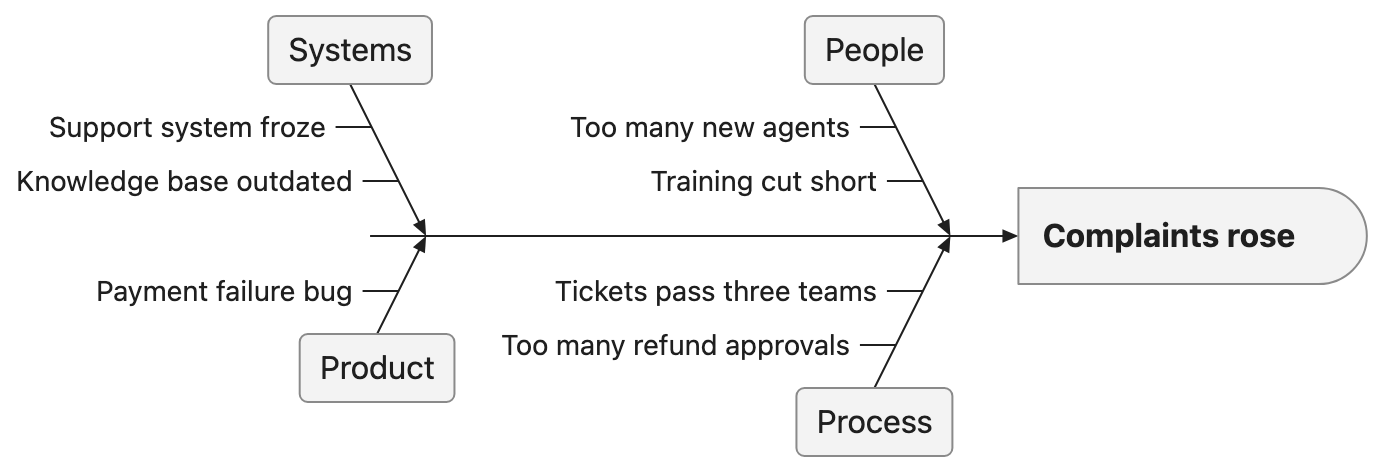
A problem and its causes, grouped into bones.
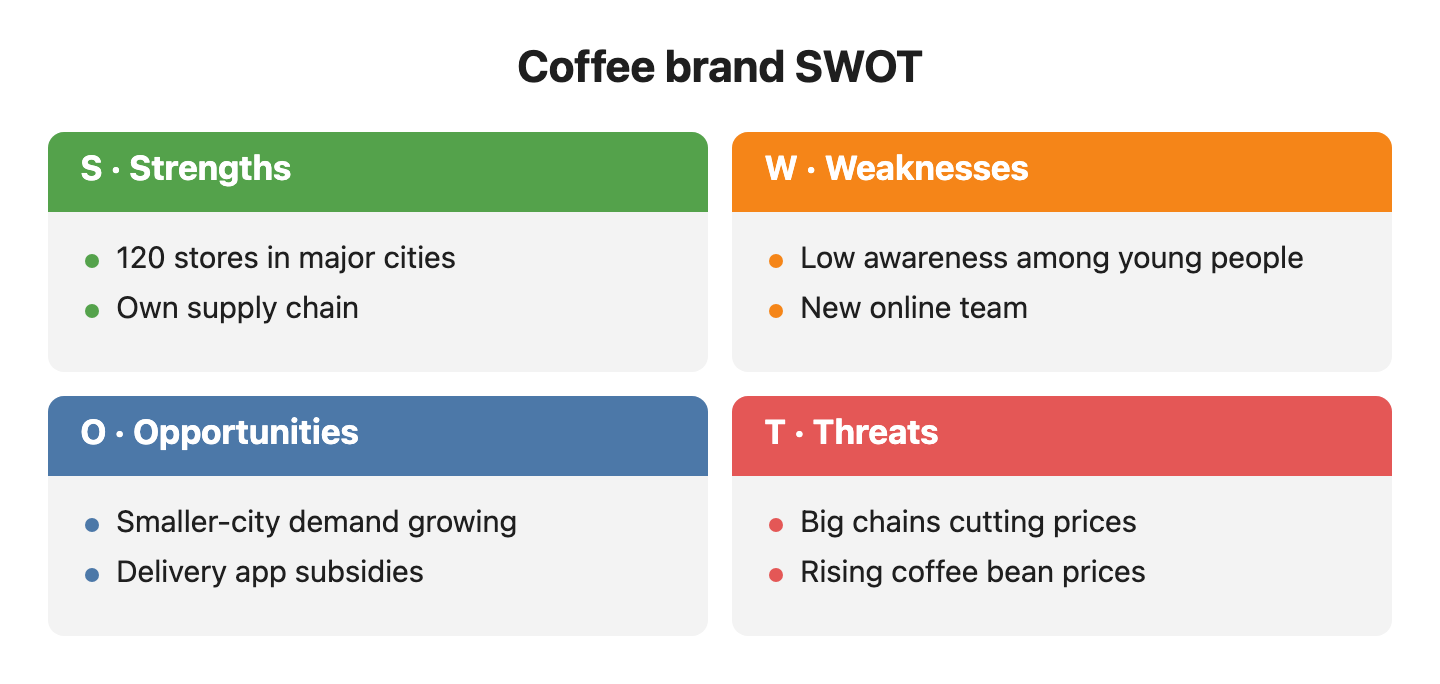
Notes on a product, company or plan sorted into strengths, weaknesses, opportunities and threats.
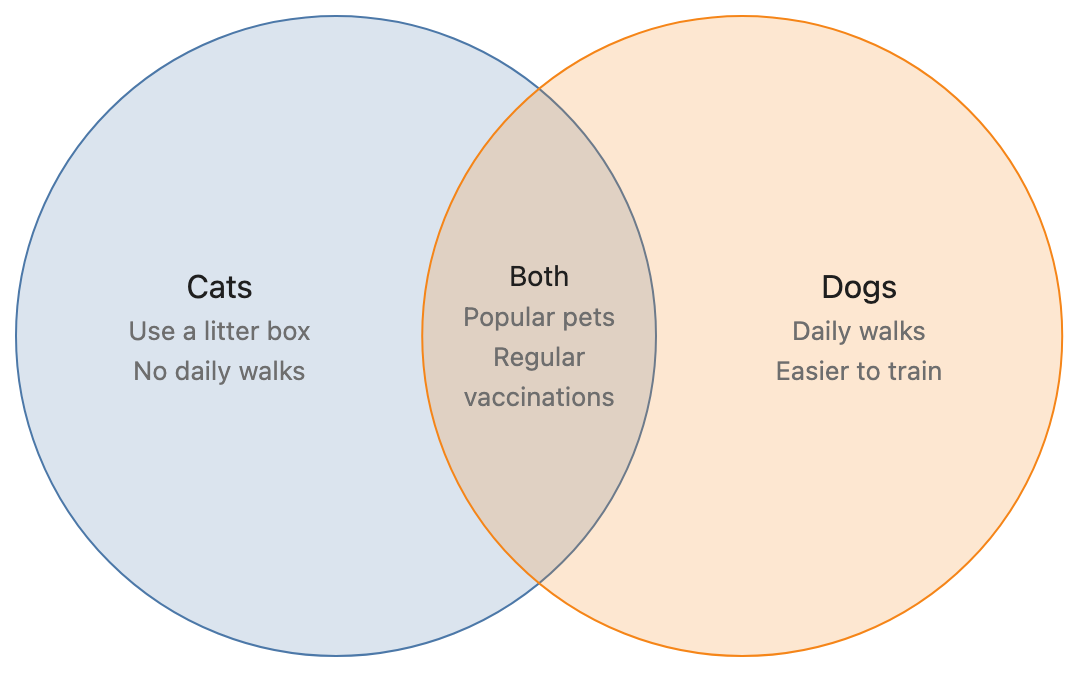
What two or three things have on their own, and what they share.
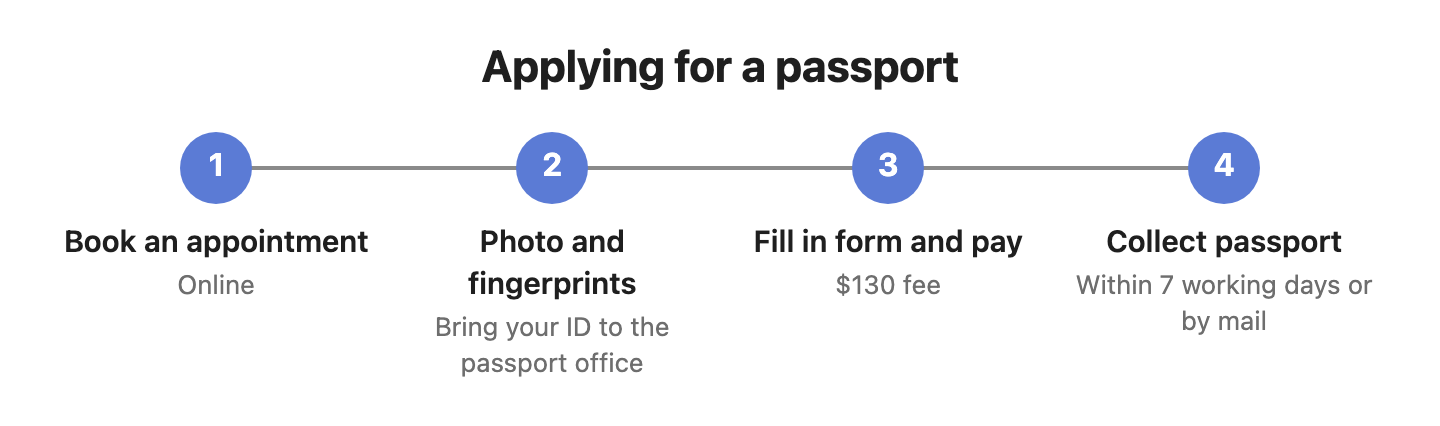
A pyramid, funnel, cycle, steps or key numbers, from a template.
Turn long text into images
Turn a long post or an AI answer into image cards or one long image, ready to share. Pages break between paragraphs, never mid-sentence, and formulas and tables are drawn properly. Exporting images needs no account; having the AI split an article into cards needs a free one.
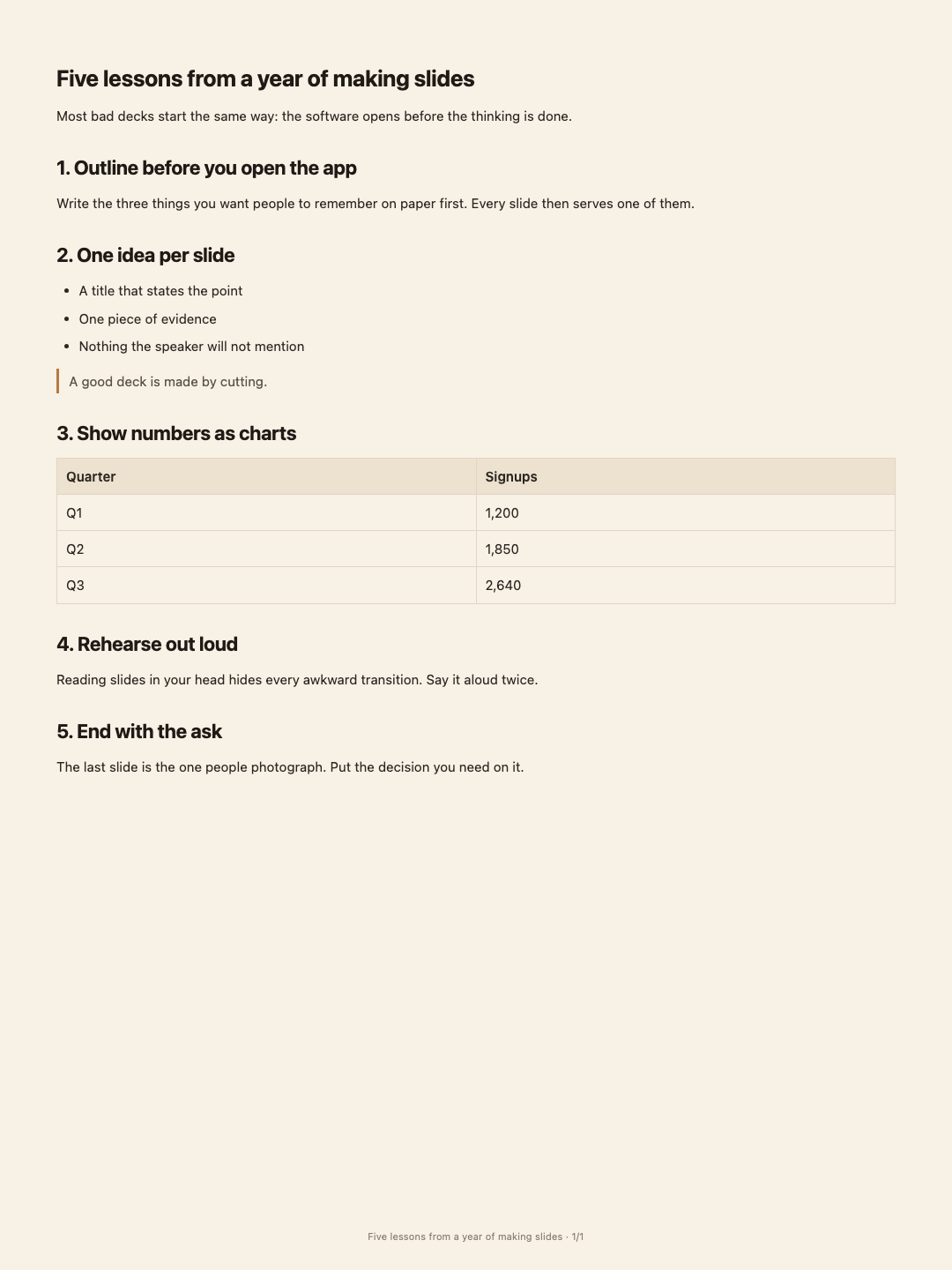
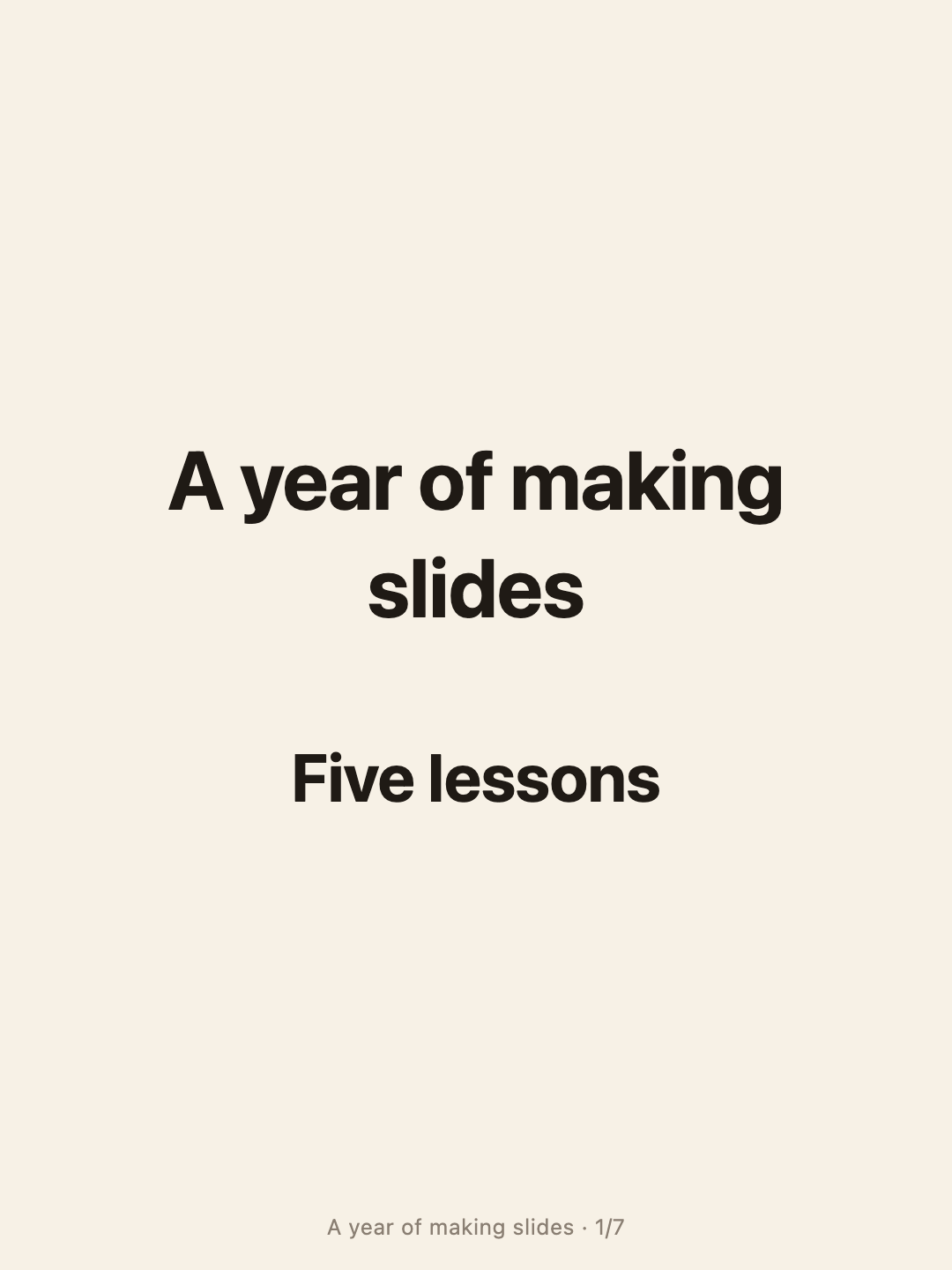
AI splits an article into a cover, one point per card and a summary — numbers checked.
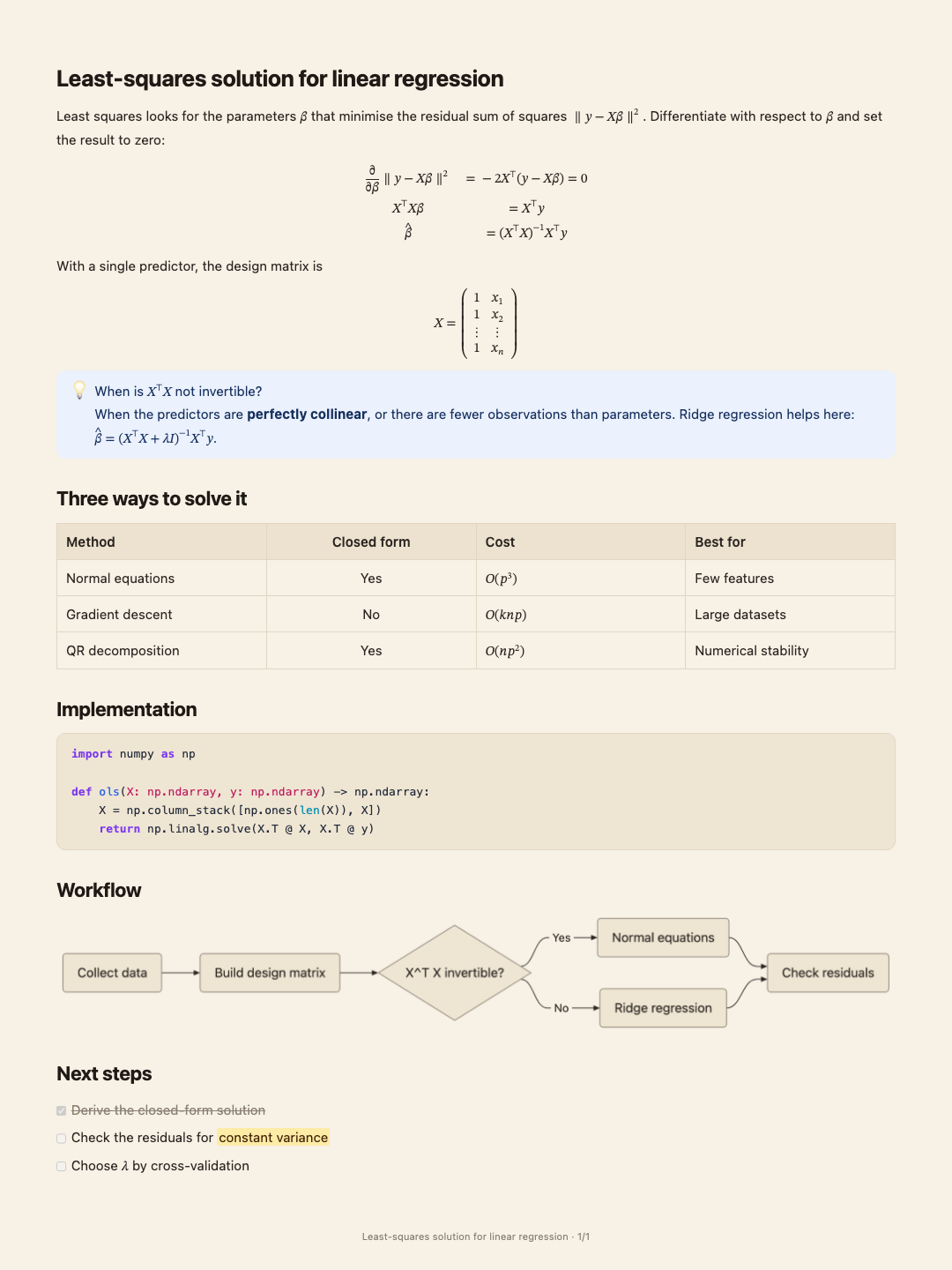
An AI answer saved as images, with maths, tables and code drawn properly.
The editor underneath
Free · no accountEvery tool above opens the same editor in your browser. Open it directly to write, tidy or export any document.
The editor every tool here opens: paste, edit, and export Word, PDF, Markdown or images — in your browser.
Every tool at a glance
What each tool takes, what it gives back, and whether it needs an account.
| Tool | You start with | You get | Account |
|---|---|---|---|
| Word & PDF | |||
| AI answer to WordChatGPT · Claude · DeepSeek · Kimi | An AI chat answer | Word (.docx) | Not needed |
| Markdown to Word | Markdown or a .md file | Word (.docx) | Not needed |
| Markdown to PDF | Markdown or an AI answer | Not needed | |
| LaTeX to Word equations | LaTeX maths | Word equations | Not needed |
| Mermaid to Word | Mermaid code | Word or PDF with the diagram drawn | Not needed |
| Diagrams | |||
| AI diagram generator | Any text | The diagram that fits it | Free account, for the AI step |
| Text to mind map | Notes, summaries, articles | Mind map | Free account, for the AI step |
| Text to flowchart | A process description | Flowchart or swim-lane diagram | Free account, for the AI step |
| Org chart maker | Teams and reporting lines | Org chart | Free account, for the AI step |
| Text to chart | Figures or a table | Bar, line or pie chart | Free account, for the AI step |
| Gantt chart maker | A project plan | Gantt chart | Free account, for the AI step |
| Text to timeline | Dates and events | Timeline | Free account, for the AI step |
| Fishbone diagram maker | A problem and its causes | Fishbone (Ishikawa) diagram | Free account, for the AI step |
| SWOT analysis generator | Notes on a product or plan | SWOT grid | Free account, for the AI step |
| Venn diagram maker | A comparison | Venn diagram | Free account, for the AI step |
| Text to infographic | Text with a clear structure | Infographic | Free account, for the AI step |
| Images | |||
| Text to image | Long text | Image cards or one long image (PNG) | Not needed |
| Long text to cards | An article | A set of cards (PNG) | Free account, for the AI step |
| ChatGPT to image | An AI chat answer | Image cards or one long image (PNG) | Not needed |
| Editor | |||
| Online Markdown editor | Anything you write or paste | Word, PDF, Markdown, images | Not needed |
Where it gets hard
- The AI tools need a free account
Diagrams and splitting an article into cards are made by AI: sign in with a free account to generate, and your text goes to the model only when you click Generate. Pasting, editing and exporting never need an account.
- Documents live in this browser
Nothing is kept on a server. Clearing this site’s data, or opening the editor in another browser or on another device, means your documents are not there. Export what you want to keep — there is an option to export them all at once.
- One document at a time
These tools are for getting one piece into shape. Working across a whole folder of PDFs, books and notes, with AI that reads all of them, is the desktop app.
Common questions
What are the MindMax online tools?
Free tools at mindmax.me/tools that run in the browser. They turn AI answers and Markdown into Word or PDF; text into a mind map, flowchart, org chart, data chart, Gantt chart, timeline, fishbone, SWOT, Venn diagram or infographic; and long text into image cards. Each one opens the MindMax web editor set up for that job.
Are they free?
Yes. Pasting, editing and exporting are free, with no account and no watermark. The tools that use AI — diagrams, and splitting text into cards — need a free account for the AI step.
Do I need to install anything?
No. Every tool runs in a web browser on any computer. There is also a desktop app for macOS and Windows, for working across a whole folder of documents.
Is my text uploaded?
Not to edit or export it: documents are kept in your browser’s own storage and files are generated in the browser. Text is sent to MindMax only when you use an AI step — generating a diagram, splitting into cards, AI rewriting — or send a review link, and all of those need you to sign in.
How are these different from the MindMax desktop app?
The online tools handle one document at a time. The desktop app opens a whole folder you already have — PDFs, EPUBs, Word files and notes — reads them with AI that quotes its sources, and writes from them.