Text to image
Long text in, clean image cards out
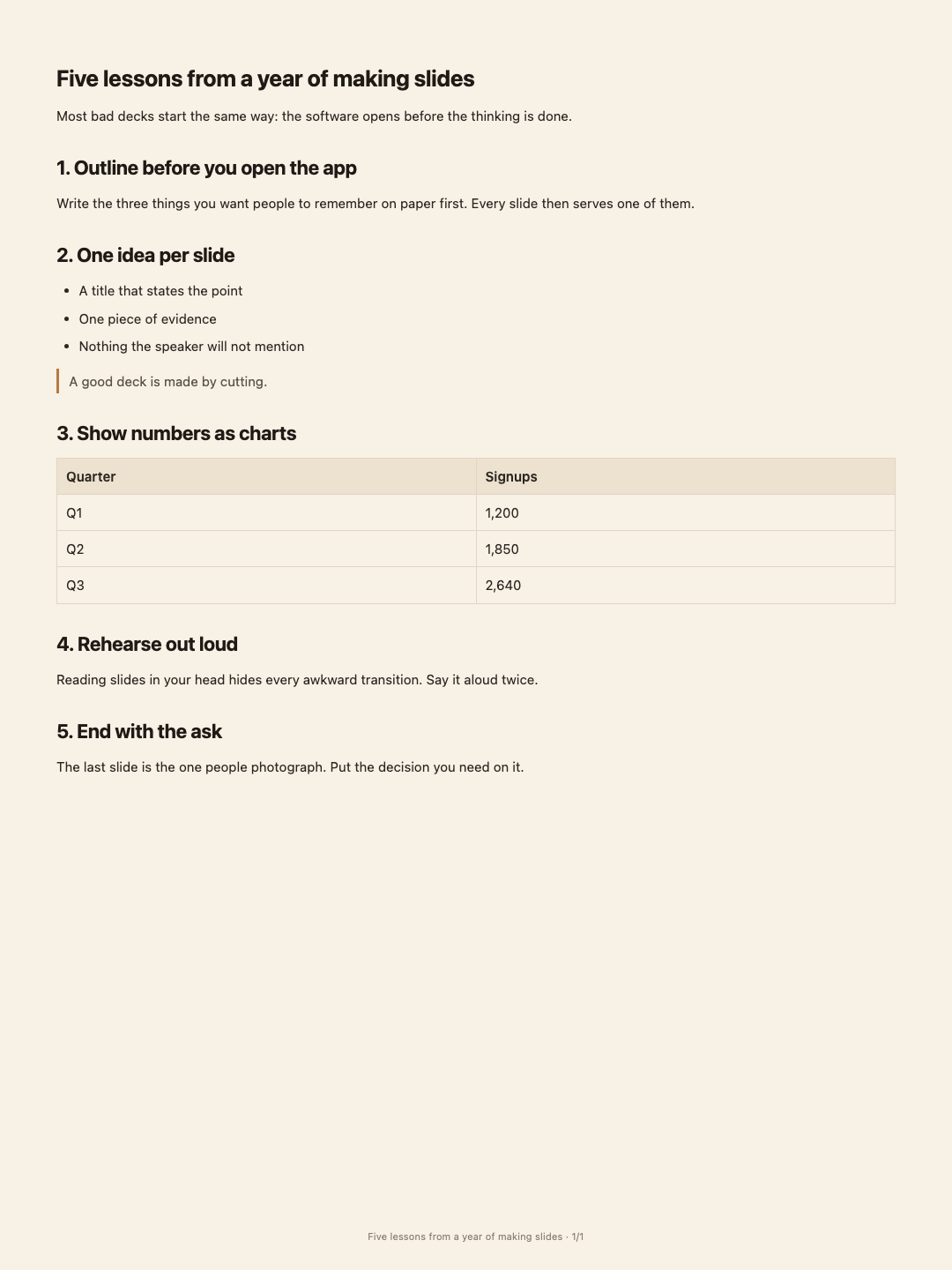
Paste the post, pick a size and a style, and export a set of cards or one long image. Pages break between paragraphs and headings, never through a sentence — and tables, maths and diagrams come along.
- Price
- Free · no account, no watermark
- Runs in
- Your browser — nothing to install
- Your document
- Stays in this browser
Runs on the MindMax web editor →All online tools
Four steps
Paste the text
Open the editor and paste — or start from a document you already have.
Export images
Pick the size (3:4, 4:5, 1:1 or 9:16), one of four styles, cards or one long image.
Check the preview
The first three cards are previewed as you change the options.
Download
One image as a PNG; several as a zip, in order.
Paged like a document, not cut like a screenshot
Most text-to-image tools slice at a fixed height. This one lays the text out first and breaks between blocks.
- A heading never ends up alone at the bottom of a card; it moves with the paragraph it introduces.
- A long table is split between rows, and every part repeats the header row.
- Formulas, code, callouts and Mermaid diagrams are drawn the same way they are in the editor.
Where it gets hard
- Exported as is
This exports your text exactly as written, paged into cards. It does not rewrite or shorten anything.
- No account needed
Making images runs entirely in your browser — nothing is uploaded.
- Very tall blocks are cut
A code block or picture taller than a whole card is split across cards by height; everything else breaks between blocks.
- No watermark
The cards carry only the optional “title · page” footer.
Common questions
Is it free?
Yes. No account, no watermark; the images are made in your browser.
Which sizes are there?
Xiaohongshu 3:4, Instagram 4:5, square 1:1 and story 9:16, plus one long image.
Can it make carousel posts from an article?
Yes — Long text to cards splits an article with AI into cover, key-point and summary cards. This page exports your text exactly as it is.
Long text in, clean image cards out
Free, no account, no watermark. Made in your browser.