SWOT analysis generator
Paste your notes. Get the SWOT — every point from your text.
Paste a market review, interview notes or a planning memo. The points are sorted into strengths, weaknesses, opportunities and threats and laid out as a four-colour grid you can drop into a report or a slide.
- Price
- Free account · no watermark
- Runs in
- Your browser — nothing to install
- AI
- Your text goes to the model only when you click Generate
Runs on the MindMax web editor →All online tools
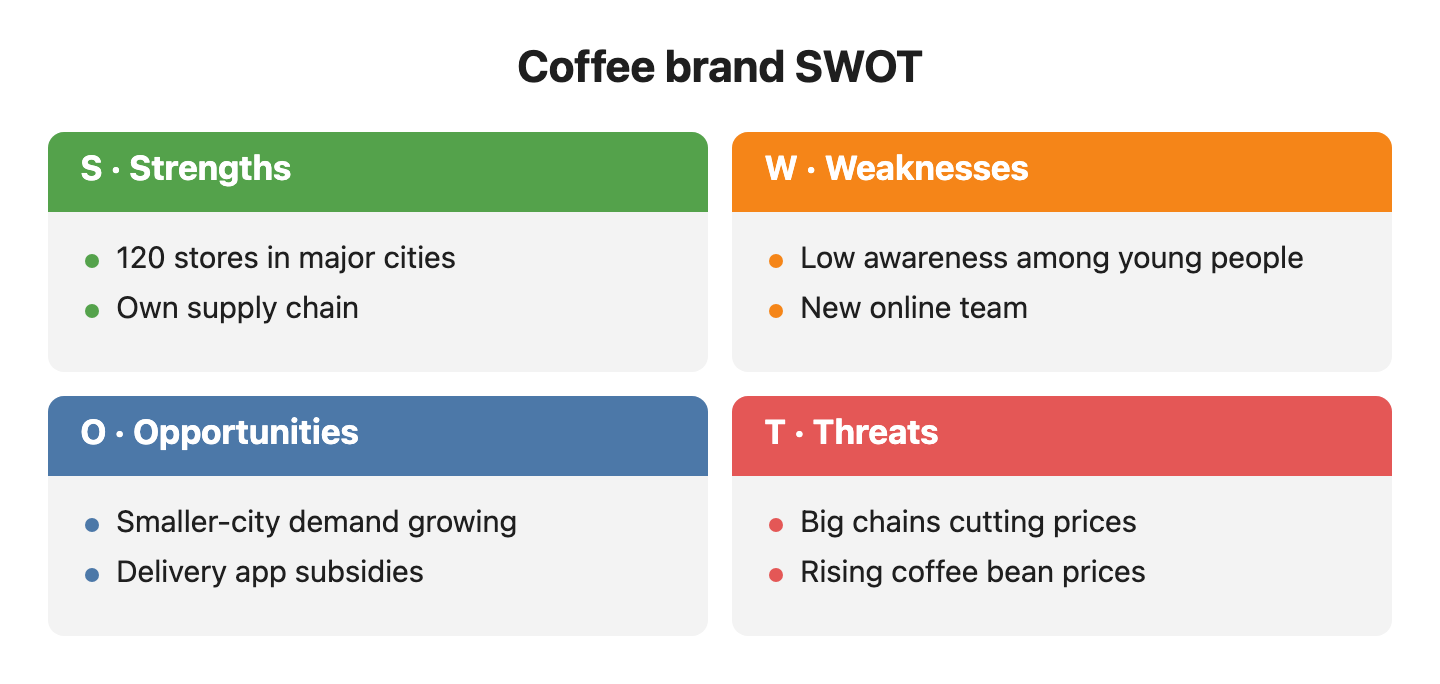
Our coffee brand runs 120 stores in major cities and owns its supply chain, so costs are lower than competitors. But few young people know the brand, and the online team was only just formed. Coffee demand in smaller cities is growing fast, and delivery apps are subsidizing new brands. The threats are big chains cutting prices and rising import prices for coffee beans.
Four steps
Paste your notes
Anything about the subject: a review, a competitor scan, meeting notes.
Pick SWOT and generate
Internal points go to strengths and weaknesses, external ones to opportunities and threats.
Check and adjust
Click a point to see its sentence; “move the price war to threats”.
Export
Word, PDF, PNG or SVG.
Check every node against your text
AI diagram tools draw something plausible. This one keeps the receipts: each box carries the sentence it came from.
- Turn on Check and click a node — the editor jumps to the sentence it came from and highlights it. Nodes with no supporting sentence are drawn dashed.
- Ask for a change in one sentence — “split step 3 into two”, “only keep the key steps”, “make it a mind map” — and review the new diagram before it replaces the old one.
- Export Word or PDF and the diagram goes in as a picture, in the same font and colours as the text around it. Download PNG or SVG, or copy it as an image.
Where it gets hard
- Generating needs a free account
Pasting, editing and exporting need no account. The AI step does: sign in with a free account to generate or revise a diagram.
- It draws only from what you paste
The web editor works from the text in front of it. It does not search the web or read your other files.
- Short points read best
Each quadrant holds a few short points. Long sentences wrap and crowd the grid — ask for “shorter points” in one sentence.
- Your text goes to the model when you click Generate
Otherwise the document stays in this browser. Clearing site data or switching browsers means it is not there — export what you want to keep.
Common questions
Will it invent points to fill a quadrant?
It is told not to, and every item it draws is checked against your text: items with no supporting sentence are shown dashed in Check mode, so you can see them.
Can I edit it by hand?
Yes. Underneath it is a short text block, one line per point — retype a point or move it to another quadrant and the chart follows.
Is it free?
Editing and exporting are free with no account. Generating needs a free account.
Paste your notes. Get the SWOT — every point from your text.
Free account for the AI step; no watermark on anything you export.