Text to infographic
Paste text. Get an infographic that fits it.
Seven layouts that reports and slides keep reaching for: SWOT, pyramid, funnel, cycle, side-by-side comparison, numbered steps and big-number stats. The AI picks the one that fits, fills it from your text, and every item links back to its sentence.
- Price
- Free account · no watermark
- Runs in
- Your browser — nothing to install
- AI
- Your text goes to the model only when you click Generate
Runs on the MindMax web editor →All online tools
How to apply for a passport: first book an appointment online; then bring your ID to the passport office to have your photo and fingerprints taken; next fill in the application form and pay the $130 fee; once approved, you can collect the passport within 7 working days or have it mailed to you.
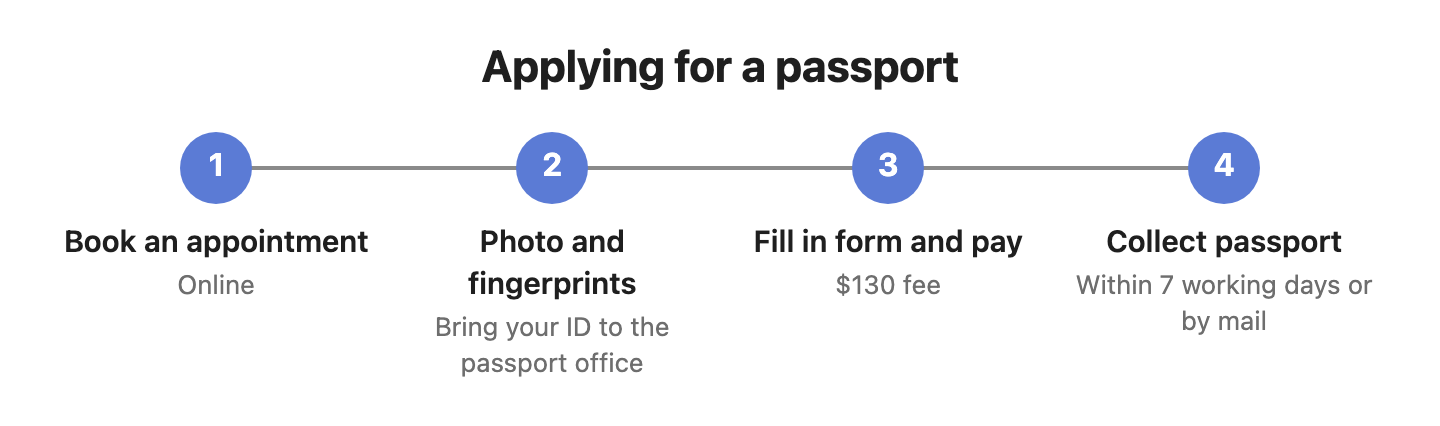
Four steps
Paste the text
A process, a hierarchy, a few key figures, a before-and-after.
Pick Infographic and generate
It chooses the layout — funnel for stages that narrow, pyramid for levels, cycle for a loop — and fills it.
Check and adjust
“Make it a pyramid instead” or “keep only four steps”.
Export
Word, PDF, PNG or SVG — or copy it as an image.
Check every node against your text
AI diagram tools draw something plausible. This one keeps the receipts: each box carries the sentence it came from.
- Turn on Check and click a node — the editor jumps to the sentence it came from and highlights it. Nodes with no supporting sentence are drawn dashed.
- Ask for a change in one sentence — “split step 3 into two”, “only keep the key steps”, “make it a mind map” — and review the new diagram before it replaces the old one.
- Export Word or PDF and the diagram goes in as a picture, in the same font and colours as the text around it. Download PNG or SVG, or copy it as an image.
Where it gets hard
- Generating needs a free account
Pasting, editing and exporting need no account. The AI step does: sign in with a free account to generate or revise a diagram.
- It draws only from what you paste
The web editor works from the text in front of it. It does not search the web or read your other files.
- Templates, not free-form design
Each infographic is one of seven fixed layouts, styled to match your document. For a bespoke design, export SVG and finish it in a design tool.
- Your text goes to the model when you click Generate
Otherwise the document stays in this browser. Clearing site data or switching browsers means it is not there — export what you want to keep.
Common questions
Which layouts are there?
SWOT, pyramid, funnel, cycle, comparison, steps and stats (key numbers).
Are the numbers checked?
Yes. Every number in a stats card or a funnel stage is compared with your text, and one that does not appear there is flagged under the infographic.
Is it free?
Editing and exporting are free with no account. Generating needs a free account.
Paste text. Get an infographic that fits it.
Free account for the AI step; no watermark on anything you export.