Venn diagram maker
Compare two or three things. Get the Venn diagram.
Paste a comparison — two products, three frameworks, cats and dogs — and get the overlap drawn: what belongs to each circle alone, and what sits in the middle.
- Price
- Free account · no watermark
- Runs in
- Your browser — nothing to install
- AI
- Your text goes to the model only when you click Generate
Runs on the MindMax web editor →All online tools
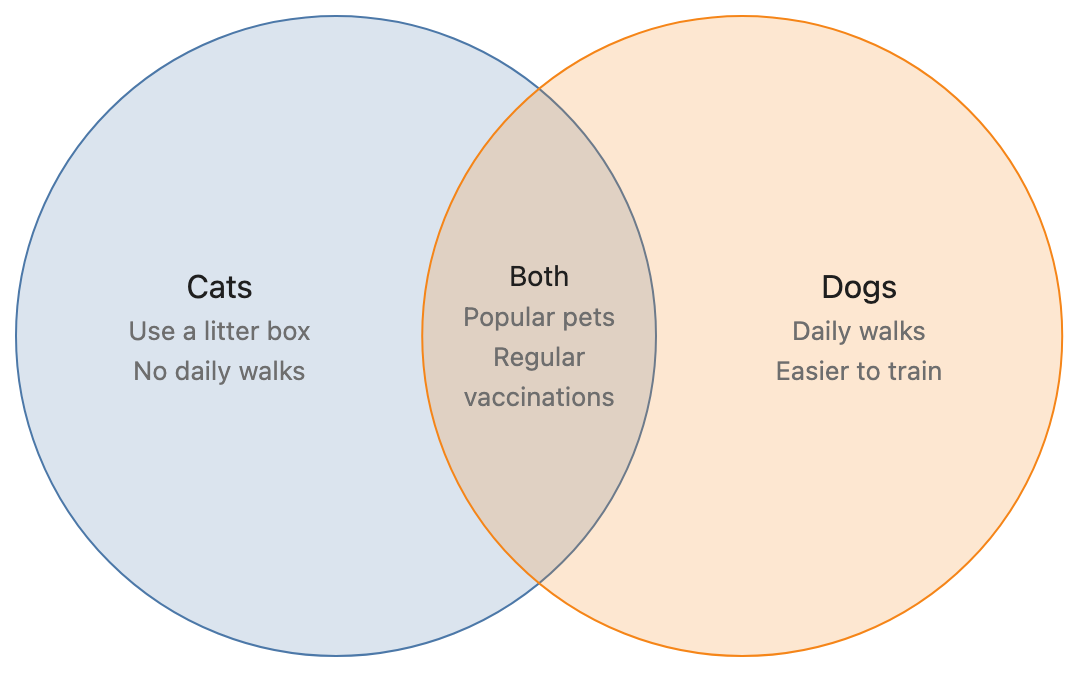
Cats and dogs are both popular pets, and both need regular vaccinations. Cats can use a litter box and do not need daily walks; dogs need to go out for a walk every day and are easier to train.
Four steps
Paste the comparison
Two or three subjects, and how they differ and overlap.
Pick Venn and generate
Each subject is a circle; shared traits go in the overlaps.
Check and adjust
Click an item to see its sentence; “move price to the shared part”.
Export
Word, PDF, PNG or SVG.
Check every node against your text
AI diagram tools draw something plausible. This one keeps the receipts: each box carries the sentence it came from.
- Turn on Check and click a node — the editor jumps to the sentence it came from and highlights it. Nodes with no supporting sentence are drawn dashed.
- Ask for a change in one sentence — “split step 3 into two”, “only keep the key steps”, “make it a mind map” — and review the new diagram before it replaces the old one.
- Export Word or PDF and the diagram goes in as a picture, in the same font and colours as the text around it. Download PNG or SVG, or copy it as an image.
Where it gets hard
- Generating needs a free account
Pasting, editing and exporting need no account. The AI step does: sign in with a free account to generate or revise a diagram.
- It draws only from what you paste
The web editor works from the text in front of it. It does not search the web or read your other files.
- Two or three circles
Venn diagrams stay readable up to three sets. Keep each item short — long text crowds the overlaps.
- Your text goes to the model when you click Generate
Otherwise the document stays in this browser. Clearing site data or switching browsers means it is not there — export what you want to keep.
Common questions
How many circles can it draw?
Two or three. For four or more things, a comparison table or a quadrant chart reads better.
Will it invent things they have in common?
It is told not to, and every item it draws is checked against your text: items with no supporting sentence are shown dashed in Check mode, so you can see them.
Is it free?
Editing and exporting are free with no account. Generating needs a free account.
Compare two or three things. Get the Venn diagram.
Free account for the AI step; no watermark on anything you export.